Gunstoppable Tools
Checklists and loadout planners for faster, deadlier runs
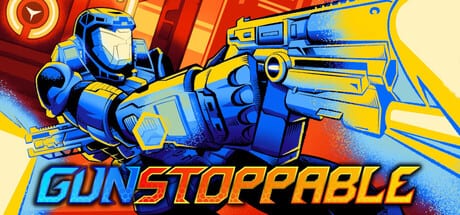
Gunstoppable rewards players who treat speed as a resource, not a bonus. The faster Fenix moves through underwater prisons and cyberpunk city blocks, the harder every shot lands. That loop breaks the moment you stop to think mid-fight. These wiki tools exist so you can plan before a run starts and rehearse habits that keep momentum, parry windows, and dual-wield reload chains intact.
Use this hub to jump between interactive helpers. Each page is written for single-player roguelite pacing: single-player only assumptions, no filler tables. If you are brand new, pair these tools with the Getting Started guide and the Controls reference so keybinds for grapple, slide, parry, and Reaper Mode (Q on keyboard, B on controller) are muscle memory before you open a checklist.
Why plan outside the arena
Roguelite runs in Gunstoppable snowball quickly. Kane the Rat sells attachments and augments between floors, but the biggest damage spikes come from movement tech you already know how to execute. Players who pause to read upgrade text while standing still lose the speed multiplier that makes banana launchers and shotgun flamethrowers feel broken in the best way.
Pre-run planning separates two failure modes:
- Mechanical drift — you forget to chain grapple into slide, or you panic-parry too early and eat a bullet-hell pattern.
- Build drift — you pick a second weapon that reloads on the same cadence as your primary, leaving dead air in dual-wield DPS.
The tools below target both problems with printable-style checklists and decision tables you can skim in thirty seconds.
Available tools
| Tool | Best for | What you get |
|---|---|---|
| Momentum Checklist | Every run start | Speed chain verification, parry timing reminders, grapple route prompts, Reaper Mode trigger habits |
| Loadout Helper | Pre-shop and pre-boss floors | Dual-wield pairing matrix, attachment grid priorities, augment synergy notes |
| Achievements | Trophy hunting | Twenty-one Steam goals grouped by movement, combat, bosses, and completion habits |
| Leaderboards | Speed runs and score chasing | Speedometer reading, Patch 25 reset context, views fantasy scoring habits |
Both pages cross-link to deeper references: Movement and Momentum for route ideas, Starter Builds for weapon baselines, the Tier List for power spikes, Bosses when a floor gate checks your speed, and Permanent Upgrades when meta progression changes your opener. Trophy hunters should open Achievements for all 21 Steam goals; speed runners pair Leaderboards with the speedometer HUD from Patch 25.
Recommended workflow
Follow this sequence when learning the game or pushing a new difficulty spike:
- Read controls once — Confirm Reaper Mode is manual (button press, not automatic). Patch-era demo feedback moved slow time off passive triggers specifically because skilled players wanted to fire it during kill chains, not after them.
- Open the Momentum Checklist — Run through movement, parry, and grapple sections until each row feels automatic. Mark mentally which rows you fail most often; those become your practice targets in the next arena.
- Open the Loadout Helper — Pick a primary and secondary from the pairing table. Note reload stagger: one weapon should cover the other during empty mag moments.
- Enter the run — Stop adjusting at Kane unless the helper flagged a hard counter for the next boss archetype (bullet hell, melee rush, or arena denial).
- Post-run review — If DPS felt low despite good aim, the problem was usually speed, not weapons. Re-open the checklist before blaming a tier list rank.
Momentum Checklist preview
The checklist page groups habits into four blocks you can tick mentally or on paper:
| Block | Sample rows |
|---|---|
| Pre-run setup | Sensitivity checked, dialogue volume separated, low-GPU mode if needed — see Accessibility |
| Movement chain | Slide entry angle, wall-run exit, rail grind handoff, speedometer glance |
| Defense | Parry impact frame timing, dodge vs parry callouts for elites |
| Offense | Dual-wield alternation rhythm, Reaper Mode activation on kill chain threshold |
Detailed wording lives on the dedicated page so this hub stays scannable.
Loadout Helper preview
The loadout helper uses a decision framework, not a single “best build” screenshot. Gunstoppable ships ten distinct weapons with hex-grid attachments; the optimal pair changes when a run grants explosive augments or melee-heavy permanent upgrades.
Core tables on that page include:
- Role tags — close burst, mid control, long poke, crowd clear.
- Reload cadence — fast, medium, slow; used to avoid overlapping downtime.
- Attachment priorities — which grid slots pay off first for momentum players who rarely stand still.
- Augment red flags — picks that look strong on paper but encourage camping (bad for speed scaling).
Achievements and Leaderboards preview
Achievements maps all 21 Steam goals into progression, movement, combat, boss, and completion buckets without inventing unverified official titles. Pair it with Accessibility if you use save anytime or playable without timed input while hunting missables.
Leaderboards explains the speedometer HUD (Patch 25), demo score resets when underwater prison replaced older routing, and post–Next Fest wall speed storage—essential when your DPS feels fine but rank stagnates.
When not to use these tools
Skip deep prep during daily streak runs where you already have a comfort pair. Also skip if you are purely story-spoiler hunting—use Updates for launch notes instead. These tools assume you want higher clear consistency and faster Reaper Mode uptime, not lore summaries.
Keep tools updated with patches
Gunstoppable received substantial demo-era tuning before the August 2026 launch: movement feel patches, parry impact frames, manual Reaper input, and weapon buffs such as the banana gun. When Patch Notes document live changes, revisit the checklist rows that mention grapple float, parry windows, or specific weapon baselines. Stale habits hurt more than stale tier opinions.
Quick links
- Momentum Checklist — pre-run speed and defense habits
- Loadout Helper — dual-wield and attachment planning
- Achievements — 21 Steam goals by category
- Leaderboards — speedometer and score habits
- Getting Started — story context and first-run goals
- Movement and Momentum — advanced route tech
- Controls — full binding reference
- Launch Notes — platforms, price, and language coverage
Frequently Asked Questions
Quick answers to the most common Gunstoppable questions.
Do these tools replace in-game tutorials?
No. They supplement Gunstoppable's arena learning curve by letting you rehearse movement and loadout decisions before Kane the Rat shops. Start with [Getting Started](/guides/getting-started/) if you have not finished the tutorial beats.
Which tool should I open first?
New players should read [Controls](/controls/), then run the [Momentum Checklist](/tools/momentum-checklist/) once. After your first death, use the [Loadout Helper](/tools/loadout-helper/) before spending currency at Kane.
Are the loadout tables tied to one meta build?
No. The helper describes roles and reload cadence so you can adapt when augments roll differently. Cross-check power spikes on the [Tier List](/tier-list/) and [Starter Builds](/weapons/starter-builds/) pages.
Do tools account for Reaper Mode changes?
Yes. Checklist rows assume manual activation with Q or B after kill chains, matching post-demo patches. See [Patch Notes](/updates/patch-notes/) if controls change again.
Will console Xbox players use the same checklists?
Movement habits transfer directly. Only binding labels differ—Reaper Mode stays on B for controllers. Launch timing for Xbox is covered in [Launch Notes](/updates/launch-notes/).
Where do achievements and leaderboards fit?
Use [Achievements](/tools/achievements/) for all 21 Steam goals grouped by skill type. Use [Leaderboards](/tools/leaderboards/) to read the Patch 25 speedometer and understand demo score resets.